Panning Around
I want panning on the map to feel easy and natural, but I also don’t want people panning around a zoo to be able to pan far outside the zoo and be lost as they try to use the map to understand the zoo’s geography.
I tried a number of approaches before settling on my current approach, and I’m reasonably happy with how it works. The very short version is, I take the convex hull of a zoo, add a buffer based on a percentage of the display area, and require that region always be “maximally visible” in the display area.
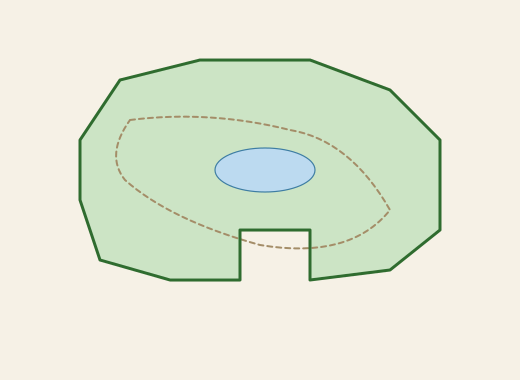
A zoo might have an outline like this.
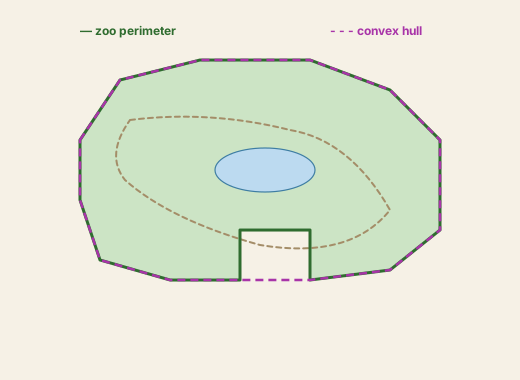
Adding the convex hull gets rid of oddities while panning, such as being unable to pan from the zoo on one side of a parking lot to more of the zoo on the other side of a parking lot.
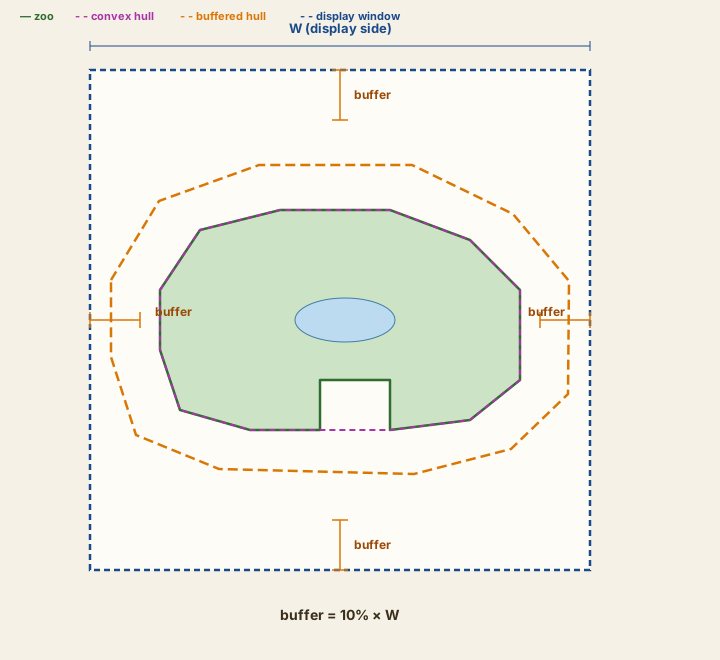
Next, we add a buffer. The idea is that the buffer is the “furthest away” from the zoo we allow. Notice that the buffer is sized off the display window, so at each level of zoom it represents a different distance.
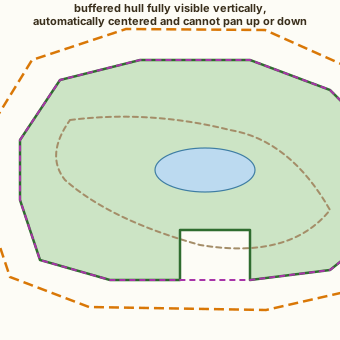
When you zoom in until one axis of the buffered hull fits in the display, that axis locks in the middle of the display, but you can pan on the other axis. This shows that happening with the vertical axis. You can still freely pan left and right until you hit one side of the buffered hull or another.
Pan into a corner of the buffered hull, and you can’t scroll further up or left, but you can scroll right or down. Notice that the buffer is much less wide now–it’s still 10% of the window width, but you’re more zoomed in.
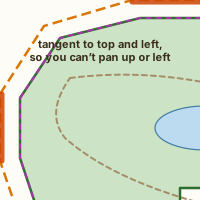
If you’re trying to pan in both an allowed and an unallowed direction by dragging on a diagonal, the portion of the pan in the allowed direction happens, but not the portion in the unallowed direction.
When you zoom, if the new position is illegal at the new zoom (because the buffer has changed), the map animates a pan to the nearest legal position.
If you zoom while panning, the map keeps using the same buffer size at the new window size, even if you’re now in an illegal position, but once you release the pan, the buffer is recalculated and if the new position is illegal, the map animates a pan to the nearest legal position.